





This product is handmade in Europe and can take up to eight weeks to arrive. No returns or exchanges accepted.
What This Is
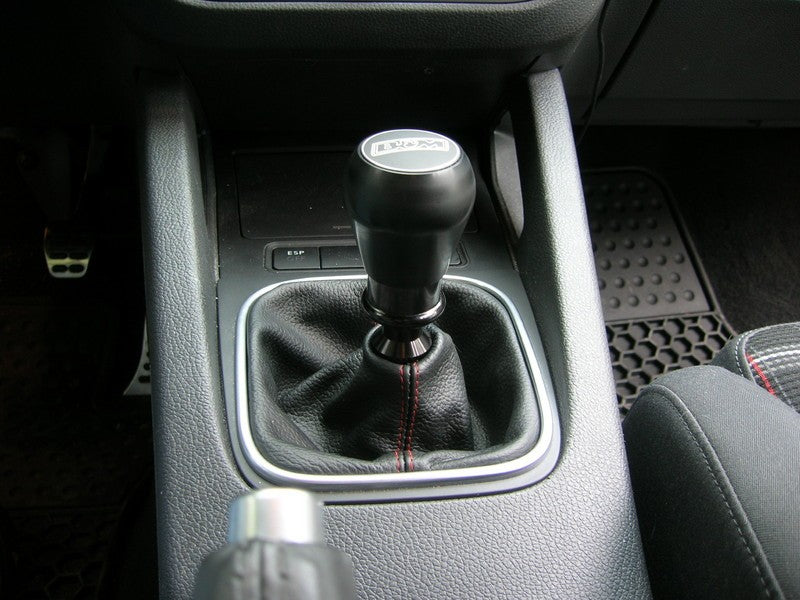
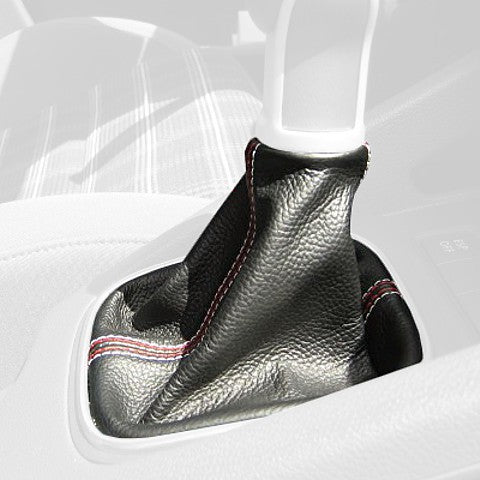
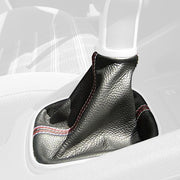
A custom-sewn leather shift boot for your 2003-09 Volkswagen Golf Mk V. It's the leather only: it installs on your factory frame or trim ring. It is not a complete shift boot assembly.
What's Included
- Included: 1 leather shift boot, cut and sewn to order in the material and colors you choose.
- Not included: shift knob, trim, frames or hardware. You reuse your factory parts.
Before You Order
- Fits 2003-09 Volkswagen Golf Mk V.
- It's made to order, so it can take up to 8 weeks to arrive and can't be returned or exchanged. Please double-check your year, fitment, and colors before ordering.
- International shipping: every piece ships from Poland, so a $15 international shipping charge applies to each item at checkout.
Installation
Difficulty: Moderate | Tools: screwdrivers, basic hand tools, glue or a stapler depending on your frame
You'll remove the shift knob and trim, move the new boot onto your factory frame, and reinstall.
▼ Click to Open / Close Step-by-Step Installation Guide (11 Steps)

Step 1. Carefully pry the shift frame up from the base and once the frame is off, flip the old boot cover inside out until the shift lever is exposed. Cut the metal ring around the plastic prongs holding the shift knob. Next, carefully pry the plastic prongs up while at the same time pulling up on the shift knob. The knob will then slide up off of the shift lever.

Step 2. With the knob off, remove the plastic retaining sleeve, which holds the boot cover to the shift knob.

Step 3. Remove the old boot and replace with the new leather boot cover.

Step 4. Slide the plastic retaining sleeve over the new cover and slide the shift knob back on to the shift lever. Push down until you feel it click into place.

Step 5. You will need to replace the metal ring, which held the knob in place. An easy replacement is a 1/4 - 5/8 in. hose clamp. Just place the clamp around the plastic prongs and tighten. Pull the cover over the shifter frame, re-install the frame back in place and you are done.

Step 6. Remove the e-brake handle. Completely pull up the handle, pry back the tab on the bottom, and slide the handle off.

Step 7. Remove the stock cover from the handle.

Step 8. First, take out the inner plastic ring from the front of the handle by pushing it out from behind. A long flathead screwdriver works well. Be sure to push from multiple points to avoid breaking the tabs off the ring.

Step 9. Once the ring is off, remove the cover by pulling or cutting it off. Note it is glued on at the very end.

Step 10. Scrape off the dry glue from the back of the handle to ensure the new cover holds firm.


Step 11. Glue the new cover to the handle. Slide the cover onto the handle almost to the very end. With the groove in the back of the handle still exposed, put glue in the groove and slide the cover the rest of the way on. Press the cover down onto the glue and hold according to the type of glue you are using. Make sure your glue is made for both leather and plastic. Wait for the glue to fully set! The next step stretches the leather taut, so make sure the glue has fully set first (this can take up to 24 hours). Reattach the front ring. After the glue has set, stretch the leather taut (just run your hand from back to front on the handle to remove any slack), and push the excess leather into the front hole of the handle. While still holding the leather, push the plastic ring back into its original position. Make sure you align the tabs correctly. This will take some force, as the new leather is thicker than the stock material. Reinstall the handle. Slide the handle back onto the e-brake, and you are done! On a side note: The release button on the e-brake handle does stick a little after the new cover is installed due to the increased thickness of the leather. It did help a little to trim off the excess leather that stuck out from under the inner plastic ring of the handle. This is shown on these two pictures to the right.
Leather care: apply a leather conditioner with UV protection every 4-6 weeks to keep it from drying out and cracking.
Options & Pricing
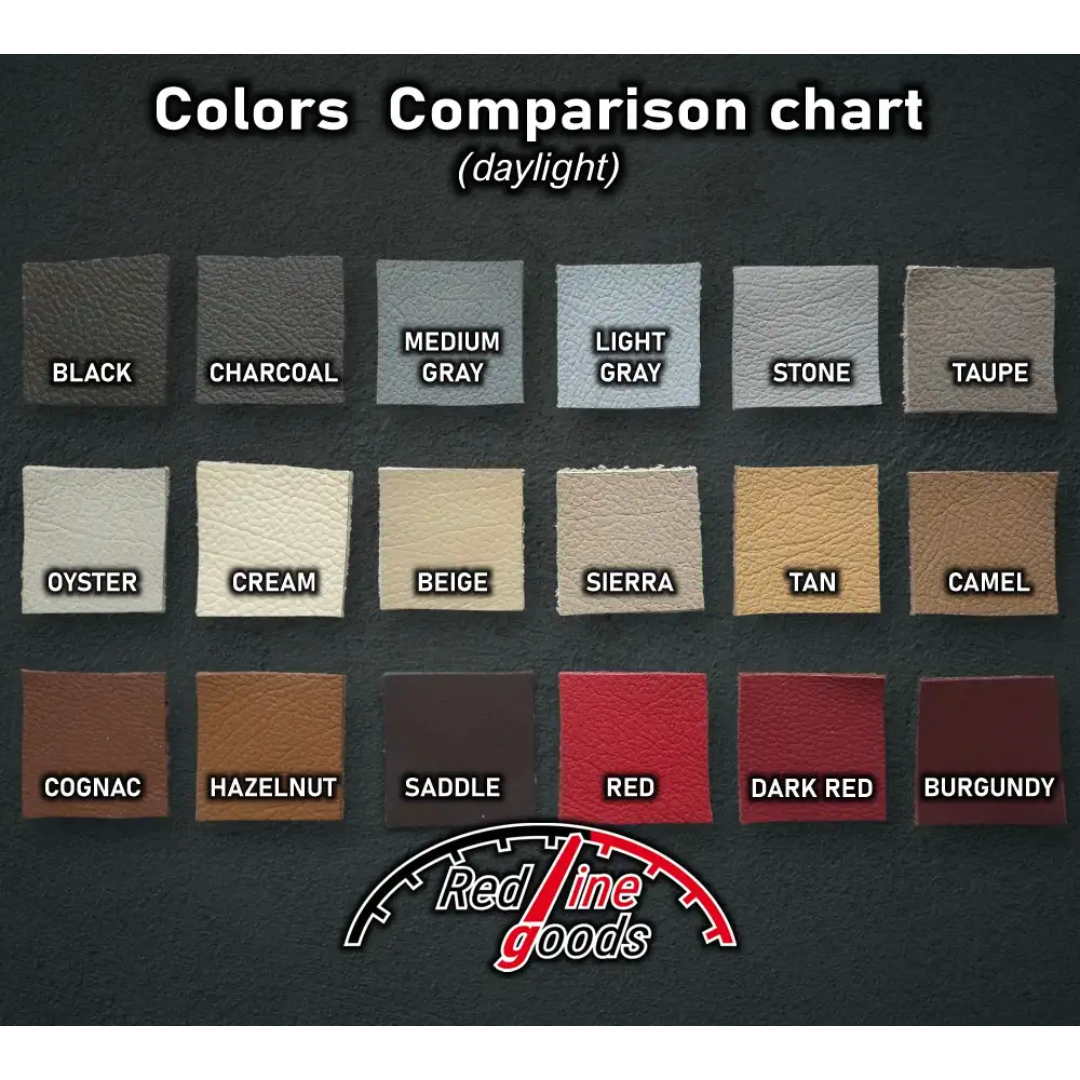
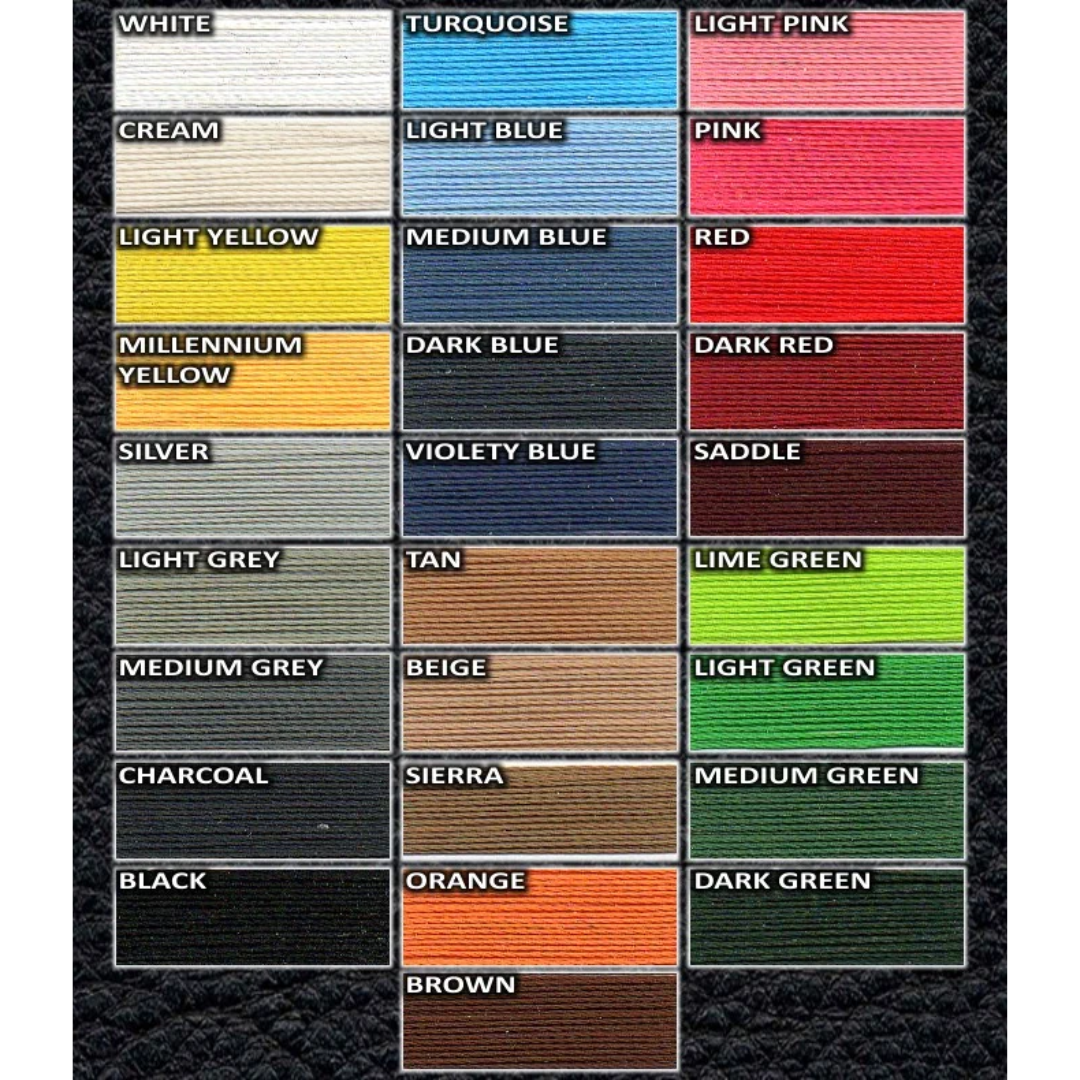
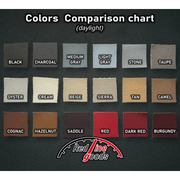
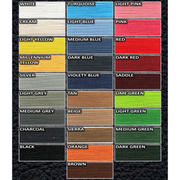
Choose your material, colors, and stitching color in the options above. Add-on prices are added in the cart.
Material
- Regular Leather
- Perforated Leather
- Nappa Leather +$15
- Genuine Alcantara +$25
- Faux Alcantara
- Carbon Fiber Vinyl
Two-tone: choose a second color in the options above.
Layout
- Default (Like My Factory Boot)
- 4 Panel (Stitching Forms An X) +$9
- Front to Back (Axis Of Car) +$9
Style
- Quadruple Thread +$9
Quadruple stitching color applies to the outer lines of thread.
Frequently Asked Questions
Q: Is my personal information kept private? Is it safe to use my credit card?
A: Yes, your personal information is kept private and it is safe to use your credit card.
Q: How much will shipping cost?
A: Unfortunately, the cost of shipping is a real expense. Our goal is to minimize your shipping costs. Shipping is calculated at checkout based on the items in your cart and will be displayed prior to you placing an order. Please note that oversized items may be subject to additional charges, which will be noted on the product page.
Q: How do I track my order?
A: Once your order ships, you will receive a tracking notification via email.
Q: Can someone outside of the United States place an order?
A: Yes, we are happy to provide worldwide service for our customers. Your shipping charges will be calculated during the checkout process. Customs and duty fees are the responsibility of the buyer.